
Reviews
Brick Breaker Classic Puzzle sticks to the classic paddle-and-ball formula without unnecessary complications. Random level generation keeps each session from feeling identical, and powerups like paddle extension and multi-ball add small tactical decisions. The interactive tutorial lowers the barrier for newcomers. It is best suited to players who want a casual, family-friendly arcade game for short breaks. Those seeking deep progression or story will find it limited, but as a pick-up-and-play title it delivers what it promises.
About this game
Core Paddle-and-Ball Play
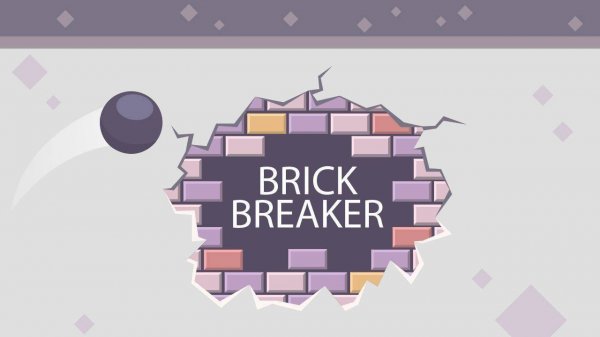
Brick Breaker Classic Puzzle puts you in control of a paddle at the bottom of the screen. A ball bounces between the paddle, walls, and bricks above. Your job is to keep the ball in play while aiming it at the bricks. Every hit adds points, and clearing all bricks finishes the level. If the ball slips past your paddle, you lose a life. The game ends when all lives are gone.
Random Layouts and Powerups
Each level is generated randomly, so brick arrangements change from one session to the next. You cannot memorize a single pattern; instead, you read the new layout and adjust your paddle position on the fly. Powerups drop during play and offer temporary help—extending the paddle, adding an extra life, or releasing multiple balls. Catching them at the right moment can turn a tough round around.
Controls and Learning Curve
You move the paddle with a mouse or touch input. The controls respond immediately, which matters when the ball speeds up or bounces at sharp angles. An interactive tutorial explains both the basic controls and what each powerup does, so new players can start without guessing. The game is family-safe and suitable for all ages.
Who It Suits
The straightforward rules make it easy to pick up for a short break, while the random generation and score chasing support longer sessions. Players who enjoy classic puzzle games will recognize the format, and newcomers can learn it in minutes. Success depends on steady paddle control, quick reactions to powerups, and adapting to each new brick pattern.
Editorial Notes
Compatibility
✅ Works on PC & Mobile | Recommended: Chrome / Safari / Edge
Faq
How do I control the paddle in Brick Breaker Classic Puzzle?
You move the paddle horizontally with a mouse or touch input. The paddle follows your movement directly, so you can position it under the ball quickly. There are no keyboard controls mentioned, and the game includes an interactive tutorial that walks you through the basics before you start.
What happens when the ball falls past the paddle?
You lose one life. The game ends when all lives are lost. You can regain lives by catching certain powerups during play, which may add an extra life. Staying calm and keeping the paddle centered under the ball’s path helps you avoid unnecessary losses.
Are the levels the same every time I play Brick Breaker Classic Puzzle?
No. Levels are randomly generated, so brick arrangements differ each session. You cannot rely on memorizing a fixed pattern. Instead, you read the new layout and adjust your aim and paddle position on the fly. This keeps repeated play fresh and requires adaptable strategy.
What powerups can I expect in Brick Breaker Classic Puzzle?
The game includes powerups that extend the paddle, add extra lives, or release multiple balls. Each one changes the pace of a round. Catching them is optional but often helpful. The interactive tutorial explains what each powerup does, so you know what to look for during play.
Is Brick Breaker Classic Puzzle suitable for children?
Yes. The game is tagged as family-friendly and suitable for all ages. It contains no graphic content, and the mechanics are simple enough for younger players to understand. The interactive tutorial helps children learn the controls without frustration. Parents can feel comfortable letting kids play.
Can I play Brick Breaker Classic Puzzle in short sessions?
Yes. The straightforward mechanics and quick level structure make it easy to play for a few minutes or longer. Because levels are randomly generated, you can jump in without needing to remember a previous layout. The game runs smoothly on different devices, so short breaks work well.

Comments
0 comments