
Reviews
Tile Connect Vocabulary Challenge combines word building with a two-minute countdown and a shifting grid. The cascade mechanic keeps rounds unpredictable, while bonus items add a tactical layer for crowded boards. It suits players who like vocabulary puzzles with a time constraint, though those who prefer untimed, relaxed word games may find the clock stressful. The clean interface and browser support make it easy to pick up in short sessions.
About this game
Building Words on a Shifting Grid
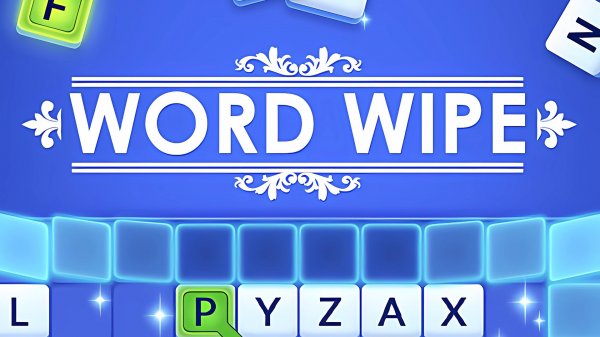
In Tile Connect Vocabulary Challenge, the board is a grid of letters, and your task is to trace a path through adjacent tiles—vertically, horizontally, or diagonally—to spell a word of at least three characters. When a valid word is completed, those tiles vanish. Letters above drop down to fill the empty spaces, which can create new word opportunities or disrupt ones you were planning. This cascade effect means the board rarely stays still, and every word you clear changes what is possible next.
Beating the Two-Minute Clock
Each level runs on a strict two-minute timer. Your objective is to clear a specific number of rows before time expires. Speed matters, but so does word length: longer words remove more tiles at once, opening larger gaps and triggering bigger cascades. Hasty three-letter words may keep the board moving, yet they rarely create the breathing room needed to hit the row target. The clock forces a constant trade-off between acting fast and scanning for a higher-value word.
Bonus Items and Level Progression
Completing a level rewards you with a special item that removes a small section of the board. These items are not cosmetic—they can rescue a crowded grid when no obvious words remain or when the timer is nearly out. Because the grid resets with a fresh layout for every level, you cannot memorize a single solution. Instead, you adapt your scanning habits to whatever letter mix appears, using bonus items as a tactical reset rather than a crutch.
Controls and Interface
The game runs in both desktop and mobile browsers. On a computer, you drag the mouse across letters; on a touchscreen, you swipe with a finger. The interface is clean and responsive, with clearly labeled tiles and an uncluttered grid. Subtle sound effects mark word completions and level transitions, giving feedback without pulling focus. The design keeps attention on the puzzle rather than on navigating menus, which suits short breaks as well as longer sessions.
Editorial Notes
Compatibility
▸ Desktop: Chrome / Edge / Firefox / Safari
▸ Mobile: iOS Safari / Android Chrome
▸ Tablet: iPadOS Safari / Android Tablet Browser
Keep your browser updated for the best experience
Faq
What word length do I need to form in Tile Connect Vocabulary Challenge?
Valid words must be at least three characters long. You can connect letters in any direction—vertically, horizontally, or diagonally—as long as the tiles are adjacent. Longer words clear more tiles at once, which creates larger gaps and can trigger bigger cascades, so aiming beyond the minimum usually helps.
How does the timer work in Tile Connect Vocabulary Challenge?
Every level gives you two minutes to clear a set number of rows. The timer does not pause while you think, so spending too long hunting for one perfect word can cost you the round. Balancing quick three-letter words with longer, higher-value finds is the core time-management decision.
What happens when I complete a level in Tile Connect Vocabulary Challenge?
Finishing a level earns you a special item that removes a small section of the board. These items are useful in later stages when the grid becomes crowded or when you are close to the row target but running low on time. The grid resets with a fresh layout for each new level.
Can I play Tile Connect Vocabulary Challenge on my phone?
Yes. The game supports both desktop and mobile browsers. On a computer, you drag with the mouse to connect letters. On a touchscreen, you swipe with a finger. The controls are designed to be intuitive so you can focus on word discovery rather than complex inputs.
Does Tile Connect Vocabulary Challenge help improve vocabulary?
Regular play encourages you to recognize common prefixes, suffixes, and letter patterns quickly, which can build vocabulary recognition over time. The two-minute limit also trains faster word retrieval. It is a puzzle game first, but the skills it exercises overlap with everyday word recall.
What is the best strategy for clearing rows in Tile Connect Vocabulary Challenge?
Prioritize longer words because they remove more tiles and create larger gaps for new letters to fall into. Scan for common prefixes and suffixes to spot valid words faster. Keep an eye on the timer, and save your bonus item for moments when the board is crowded or no clear words remain.




Comments
0 comments