
Reviews
Toddler Touch succeeds by keeping things simple. The large, colorful buttons respond instantly with clear number sounds or short song clips, giving young children immediate feedback. Parents will appreciate the complete absence of ads and the offline functionality. The open-ended design lets kids repeat favorite activities without pressure. While it does not track progress, the app provides a solid foundation for early number awareness and musical enjoyment in a safe digital space.
About this game
Interface Designed for Small Hands
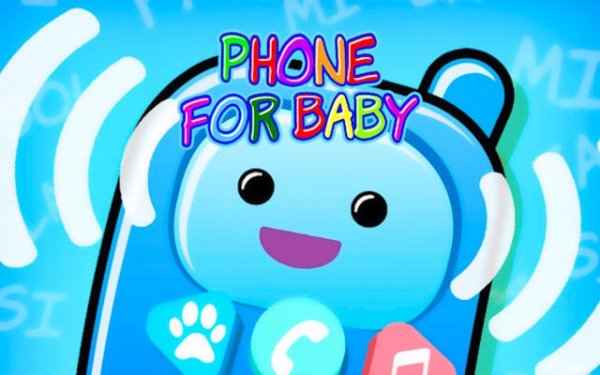
The main screen shows a set of large, colorful circles that resemble the buttons on a play phone. Each button has a simple picture, like a smiling sun or a star, making it easy for even the youngest players to understand what to press. There are no menus or settings to navigate. Every tap produces an immediate sound or short melody, which helps children connect their action with a result.
Number Recognition Through Sound
When a child presses a number button, a friendly voice says the number aloud while a matching quantity of objects appears on screen. For example, tapping the number three shows three apples. This pairing of spoken word with visual count reinforces basic math concepts in a natural, pressure-free way. Children can repeat the same number many times if they enjoy it.
Classic Songs for Shared Moments
A separate section of the app contains recordings of well-known nursery rhymes. Each song plays with simple, cheerful instrumentation. The lyrics are not displayed, so the focus stays on listening and singing along. This feature works well for parent-child interaction, as adults can sing with their child while the music plays.
Safe, Uninterrupted Play
The app contains no advertisements, pop-ups, or links to external content. Once a song or number activity starts, nothing else can interrupt it. This creates a calm environment where children can focus on the sounds and images without distraction. The app also works fully offline, so it can be used during car rides or in places without Wi-Fi.
Self-Guided Exploration
There are no timers, scores, or levels to complete. Children decide which button to press and how long to stay with each activity. This open-ended structure encourages curiosity and allows each child to learn at their own speed. Parents can simply hand over the device and let their child tap freely, knowing the content is always appropriate.
Compatibility
This H5 game runs smoothly on:
• Desktop computers (Windows / Mac) • Mobile phones (iPhone / Android)
• Tablets (iPad / Android)
🌐 Best experienced with Chrome, Safari, or Edge
Faq
At what age can a child start using Toddler Touch?
The app is designed for children ages 1 to 4. The large buttons and simple sounds work well for babies who are just learning to tap, while the number counting and songs remain engaging for preschoolers.
Does Toddler Touch require a Wi-Fi connection?
No. All songs and number sounds are stored directly on the device. The app works completely offline, making it suitable for travel, waiting rooms, or any location without internet access.
Can my child accidentally make purchases inside the app?
There are no in-app purchases, advertisements, or external links of any kind. The app is a standalone experience with no way to spend money or leave the app unintentionally.
How many songs are included in the music section?
The app includes a selection of classic nursery rhymes. The exact number may vary by version, but it typically contains between 6 and 10 well-known songs such as Twinkle Twinkle Little Star and Old MacDonald.
Is there a way to track what my child has learned?
The app does not include progress tracking or reports. It is designed for free exploration rather than assessment. Parents can observe which buttons their child presses most often to see what interests them.
Can I use Toddler Touch on a tablet as well as a phone?
Yes. The app is optimized for both smartphones and tablets. The buttons scale to fit the screen size, so they remain easy to tap on larger displays as well.






Comments
0 comments