
Reviews
WorldCraft Online succeeds as a creative outlet because it removes the usual pressures of objectives and timers. The combination of free building, resource gathering, and flying camera controls gives players practical tools for ambitious projects. Multiplayer collaboration adds a social layer that can make large builds more manageable. The main limitation is the lack of structured goals, which may leave some players wanting more direction. It is best suited to players who enjoy self-directed creativity and families looking for a shared digital activity.
About this game
Building Without Boundaries
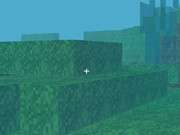
WorldCraft Online hands players a simple set of tools: place blocks, remove blocks, and fly around to view the results from any angle. There are no mandated objectives, so the only limit is what you can imagine. The game includes thousands of craftable items derived from resources found in the environment, which means large projects require planning and material gathering rather than just instant placement. The fly feature is especially useful for checking symmetry and scale on sprawling builds, letting you adjust rooflines or terraces without rebuilding from the ground up.
Exploration and Resource Gathering
New materials and building inspiration come from exploring the world. Wandering the landscape serves a practical purpose: you need specific resources to craft specific items, and rare materials often sit farther from your starting area. This creates a natural loop where building a ambitious structure pushes you to explore more, and exploring more gives you better tools for the next build. The environment itself acts as a catalog of possibilities, showing what can be made once you have the right components.
Playing Alone or Together
Solo play lets you work at your own pace without distractions. Multiplayer sessions let friends visit each other's worlds and collaborate on shared projects, which changes how you approach large builds. Instead of one person gathering and placing every block, roles can split: one player focuses on resource collection while another handles design. The game supports this collaborative style without requiring it, so the experience scales from a quiet solo cottage to a group castle project.
Who It Suits
The intuitive controls and gentle learning curve make WorldCraft Online accessible to beginners and younger players, while the depth of crafting and building options gives experienced sandbox fans room to experiment. The absence of strict goals means motivation comes from personal projects rather than checklists. Families looking for a shared digital activity will find the collaborative building and safe creative focus well matched to that purpose.
Editorial Notes
Compatibility
✅ This game supports:
- Desktop browsers (Chrome, Edge, Safari)
- Mobile browsers (Chrome on Android, Safari on iOS)
❌ Does NOT support: - Internet Explorer - Very old browser versions
👉 Try refreshing or updating your browser
Faq
What platforms can I play WorldCraft Online on?
WorldCraft Online is designed for both PC and mobile platforms, including Android. The controls are adapted for each platform, so you can build and explore whether you are at a computer or using a touchscreen device. The core building and crafting experience remains consistent across supported platforms.
Does WorldCraft Online have a story mode or campaign?
No. WorldCraft Online does not include a story campaign or scripted missions. The game is built around open-ended creativity, so there is no plot to follow or final boss to defeat. Instead, you set your own goals, whether that means constructing a small home or a sprawling kingdom, and progress at your own pace.
Can I play WorldCraft Online with friends?
Yes. The game supports multiplayer sessions where players can visit each other's worlds and work on collaborative building projects. You can also play solo if you prefer to build alone. The multiplayer option is designed for cooperative creativity, not competition, so friends can combine ideas and resources on shared structures.
Is WorldCraft Online suitable for young children?
WorldCraft Online is designed for all ages and is described as a safe, wholesome environment with a focus on positive creativity. There is no pressure to achieve specific goals, and the controls are intuitive enough for beginners. Parents looking for a family-friendly sandbox game will find the content appropriate for kids.
How many items can I craft in WorldCraft Online?
The game includes thousands of craftable items made from resources gathered in the world. This large item pool supports extensive customization, from basic building blocks to more specialized materials. To craft these items, you need to explore and collect the required resources, which encourages both building and exploration.
What can I do if I get stuck or run out of ideas?
Since WorldCraft Online has no strict goals, getting stuck usually means you need new inspiration. Exploring the environment can reveal rare resources and new materials that suggest different building techniques. Visiting friends' worlds in multiplayer can also spark ideas, as you see how others approach design and what structures they create.






Comments
0 comments