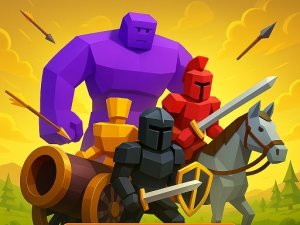

Strategy Battle Planner

Strategy Battle Planner

Strategy 3D
Developer: Wild Adventure Works
Published: 2026-01-01
Updated: 2026-06-25

Reviews

Strategy Battle Planner offers a satisfying mix of planning and action. The gold-based unit selection forces you to make tough choices, and the physics-driven combat makes each battle feel unique. Test Battle Mode is a standout feature, allowing endless experimentation with formations. The controls are intuitive on both desktop and mobile. While the number of levels is unclear, the core gameplay is engaging enough to keep you coming back. A solid choice for strategy fans.

Description

Game Introduction

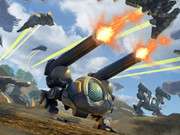
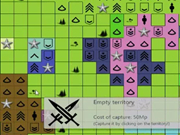
Strategy Battle Planner is an engaging online game that challenges you to think ahead. You start each level with a set amount of gold. Use it to select and place units on a grid. Your goal is to arrange your troops in the best formation to overcome the enemy. The game offers a variety of unit types, including close-range fighters, ranged attackers, and heavy support units. Once you are ready, press GO and watch the action unfold with realistic physics-based combat and smart AI behavior. For more creative freedom, Test Battle Mode lets you design your own custom scenarios by placing both friendly and enemy troops. Experiment with different formations and strategies to see what works best.

How to Play

On a computer, use your mouse to select and place units on the grid. You can move the camera with the WASD or Arrow Keys. On mobile or tablet, use touch controls to move the camera and place troops. Each level gives you a fixed amount of gold. Choose your units wisely from close-range, ranged, or heavy categories. Position them on the grid to create a strong formation. When you are satisfied, press the GO button to start the action. The game uses physics-driven combat, so unit placement and strategy matter. You can also try Test Battle Mode to create your own scenarios and explore endless strategic possibilities.

Game Features

Multiple troop types such as close-range, ranged, and heavy units. Level mode offers gold-based troop selection for strategic depth. Test Battle Mode lets you experiment with custom scenarios. Physics-driven effects add realism to the action. The accurate troop placement grid gives you better control. Dynamic simulations use smart AI behavior. There are unlimited strategic combinations to discover. The game has clean visuals and smooth performance for an enjoyable experience.

Tips for Success

To succeed in Strategy Battle Planner, plan your unit placements carefully. Balance your army with a mix of close-range, ranged, and heavy units to cover weaknesses. Use the grid to position troops where they can support each other. Experiment with different formations in Test Battle Mode to learn what works. Pay attention to the physics-based combat, as unit positioning affects outcomes. Practice regularly to improve your strategic thinking and adapt to new challenges.

Compatibility

๐Ÿ’ป Desktop | ๐Ÿ“ฑ Mobile | ๐Ÿ“Ÿ Tablet
โ€“ All supported ยท Best with Chrome or Safari
Faq
Is Strategy Battle Planner free to play?
Yes, Strategy Battle Planner is a free online game. You can play it directly in your web browser without any downloads or purchases. Some optional in-game items may be available, but the core experience is completely free.
What platforms can I play Strategy Battle Planner on?
Strategy Battle Planner is designed for both desktop and mobile devices. On a computer, you use a mouse and keyboard. On tablets and phones, touch controls allow you to move the camera and place units easily.
Does Strategy Battle Planner have a multiplayer mode?
The game primarily focuses on single-player levels and a Test Battle Mode for custom scenarios. It does not specify multiplayer features, so it is likely a solo experience where you challenge AI opponents.
How many levels are in Strategy Battle Planner?
The exact number of levels is not specified in the game description. It likely includes multiple levels with increasing difficulty, each providing a fixed gold budget for unit selection. Test Battle Mode offers unlimited replayability.
Can I save my custom scenarios in Test Battle Mode?
The game description does not mention saving custom scenarios. Test Battle Mode lets you design and test formations, but you may need to recreate them each session. Check the game interface for save options.
What are the system requirements for Strategy Battle Planner?
As an online browser game, Strategy Battle Planner requires a modern web browser with internet access. It likely works on most computers and mobile devices without special hardware. For best performance, ensure your browser is updated.
Advertisement