
Reviews
City Pool Billiards Challenge delivers a focused 8-ball experience without downloads or accounts. Its strength lies in the physics engine, which makes angle, spin, and speed matter on every shot. The urban-themed table layouts add visual variety, and the progression system encourages replay for better accuracy. Beginners will find the controls approachable, while experienced players can refine cue ball positioning. The main limitation is the lack of described multiplayer or advanced rule variants, so it is best suited to solo practice and casual play.
About this game
Urban Table Settings
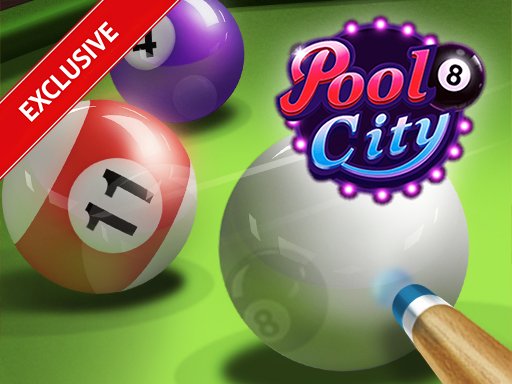
City Pool Billiards Challenge places the familiar 8-ball format against a city-themed backdrop. Each level presents a different arrangement of balls on the table, so the layout changes from round to round. That variety keeps shot selection from becoming routine: a cluster that sits cleanly in one level may block your path in the next. The urban visuals frame the action without distracting from the table itself, and the HTML5 build runs in a browser on desktop, tablet, or phone with no download or account required.
Shot Planning and Physics
Every shot begins with the cue ball. You drag on the screen to set direction and power, then release to strike. The physics engine responds to angle, spin, and speed, so a slightly off-center hit changes the cue ball's path after contact. That responsiveness is the game's real challenge: you are not just aiming at a pocket, you are predicting where the cue ball will travel once it hits your target. Players who think one shot ahead set up easier follow-ups; those who rush often leave the cue ball stranded behind a cluster.
Progression and Difficulty
The game moves through multiple levels, each with a new table configuration and a higher demand on precision. Early tables let you build confidence with straightforward angles. Later layouts tighten the pockets of opportunity, forcing you to use spin and bank shots rather than direct lines. A progression system rewards completing tables with fewer shots or higher accuracy, giving repeat players a reason to refine their approach instead of simply clearing the table.
Controls and Accessibility
Mouse and touch input both work, and the drag-to-aim system allows fine adjustments without complex menus. Spin can be added to the cue ball for players who want more control over positioning. The interface stays clean and family-friendly, and there are no complicated rules to memorize beyond the standard 8-ball sequence: pocket your group, then the 8 ball. That makes the game approachable for newcomers while still offering depth for experienced cue sports fans.
Editorial Notes
Compatibility
💻 Desktop | 📱 Mobile | 📟 Tablet
– All supported · Best with Chrome or Safari
Faq
What do I need to play City Pool Billiards Challenge?
You only need a browser and a mouse or touch screen. The game runs on HTML5, so there is no download, installation, or account creation. It works on desktops, tablets, and smartphones, letting you play in short sessions or longer stretches whenever you have time.
How does the spin mechanic work in City Pool Billiards Challenge?
Spin is applied to the cue ball before or during your shot, affecting how it travels after contact. Using spin lets you control the cue ball's position for your next shot, which is useful when a direct line to a pocket would leave you badly placed for the following turn.
Is City Pool Billiards Challenge suitable for beginners?
Yes. The controls are intuitive and the rules follow standard 8-ball, so new players can start without studying a manual. Early levels use straightforward layouts, and difficulty increases gradually. The realistic physics still rewards practice, so beginners improve by playing rather than by reading instructions.
Does the game track my progress or reward accuracy?
The game includes a progression system that rewards completing tables with fewer shots or higher accuracy. This gives you a reason to replay levels and refine your technique. Specific rewards and tracking details are not fully described, but the system is designed to encourage precise play over simply finishing.
Can I play City Pool Billiards Challenge on my phone?
Yes. The HTML5 platform supports smartphones and tablets, and the drag-based aiming system works with touch input. You can aim, adjust power, and release to shoot without a mouse. Performance is smooth across supported devices, though screen size may affect how precisely you can line up fine shots.
What is the main goal in each level of City Pool Billiards Challenge?
You must pocket all balls from your assigned group, either solids or stripes, and then sink the 8 ball to win the round. Each level has a different table layout, so you need to adapt your strategy and plan shots carefully rather than relying on a single approach.






Comments
0 comments