Pixel Craft Building Adventure

Pixel Craft Building Adventure

Animal Building
Updated: 2026-06-13

Reviews

Pixel Craft Online Building Game delivers a satisfying creative experience with its intuitive controls and open world. Collecting resources and constructing buildings feels rewarding, and the lack of pressure makes it ideal for unwinding. The variety of blocks allows for detailed designs, and the safe environment ensures peace of mind. Replay value is high as you can constantly rebuild and improve your creations. A solid choice for fans of sandbox games.

Description

Game Introduction

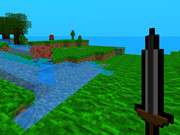
Pixel Craft Online Building Game invites you into a vibrant blocky world where creativity takes center stage. Inspired by classic building adventures, this game lets you gather materials such as wood, stone, and gems to construct anything from cozy cottages to towering castles. Designed for players of all ages, the game features no violence or scary elements, ensuring a safe and enjoyable experience. Explore the open world, collect resources, and let your imagination guide you as you shape the landscape and build unique structures. Every session offers new possibilities, making it a perfect choice for those who love to create and explore.

How to Play

Getting started is simple. Use your mouse or touch controls to move around the world and find materials scattered across the environment. Click or tap on resources like trees and rocks to collect wood, stone, and colorful blocks. Once you have enough, open the crafting menu to build walls, floors, roofs, and decorations. Place blocks anywhere to design your dream home or any structure you envision. You can also reshape the land by digging or adding blocks. The game is easy to learn, so even beginners can start building right away. Experiment with different combinations to create something truly unique.

Game Features

Features of Pixel Craft Online Building Game include: Creative building with a wide variety of blocks and materials. Material collection through exploration of a colorful open world. Simple controls that work on both desktop and mobile devices. Safe, family-friendly environment with no violent content. Endless replayability as you design and redesign your creations.

Tips for Success

To get the most out of your building experience, start by gathering a good stock of basic materials like wood and stone before beginning a large project. Plan your builds on a flat area to avoid uneven terrain. Experiment with different block combinations to add variety and detail. Save your favorite designs by taking screenshots for inspiration. Explore the world thoroughly to discover rare materials that can enhance your creations. Finally, take breaks to avoid fatigue and keep your creativity fresh.

✅ Compatibility & Testing

• Desktop (Windows 11, macOS Ventura)
• Mobile (iPhone 14, Samsung Galaxy S23)
• Tablet (iPad Pro, Android tablet)
✅Supported browsers: Chrome, Safari, Edge, Firefox (latest versions)
❌ Not supported: Internet Explorer, older browser versions
Faq
Is there any combat or enemies in the game?
No, the game is designed as a peaceful building experience with no combat, enemies, or violent elements. It focuses entirely on creative construction and exploration, making it suitable for players of all ages.
Can I play this game on my mobile device?
Yes, the game features simple touch controls that work on both desktop computers and mobile devices. This allows you to build and explore on the go, using your smartphone or tablet.
Are there animals in the game world?
The game includes animals as part of its adventure and exploration elements. You may encounter various friendly animals while exploring the open world, adding to the vibrant and lively atmosphere.
Do I need an internet connection to play?
Since the game is described as 'online,' an internet connection is typically required to play, especially for features like exploring a shared world or saving your creations. However, specific connectivity details may vary.
How do I save my builds?
The game likely includes an automatic save feature or a manual save option. It's a good idea to check the game's menu for save settings. Taking screenshots of your creations is also a reliable way to preserve your work.
Can I play with friends?
The game name includes 'Online,' which suggests that multiplayer or social features may be available, such as visiting other players' worlds or collaborating on builds. However, the exact multiplayer modes are not specified.
Advertisement